
Perler bead pattern maker
Photo to printable bead chart
BeadPixel is a free perler bead pattern maker that converts any photo into a printable bead pattern. Upload an image, pick a palette, and download a chart with exact bead counts and a shopping list — all in your browser.
- Free perler bead pattern maker
- 5 brand palettes supported
- CIEDE2000 colour matching

See the magic happen
From any photo to a precise bead pattern in seconds.

Everything you need to create
Three steps to a printable chart
01
Drop in an image
PNG, JPG or WebP. Remove the background with one click and crop to the subject — the pattern is generated from your prepared image.
02
Pick brand, size and colours
Choose your bead brand, set the pattern width in beads, cap the colour count. Tweak dithering for the smoothest result.
03
Export a PNG chart
Print-ready chart with grid and colour codes baked in, plus a shopping list you can copy as TSV. Ready to take to your bead supplier.
Precise grid editing
Adjust individual beads, colors and pattern regions before you start crafting. Brush, eraser, magic wand and color picker give you complete control.
Try the editor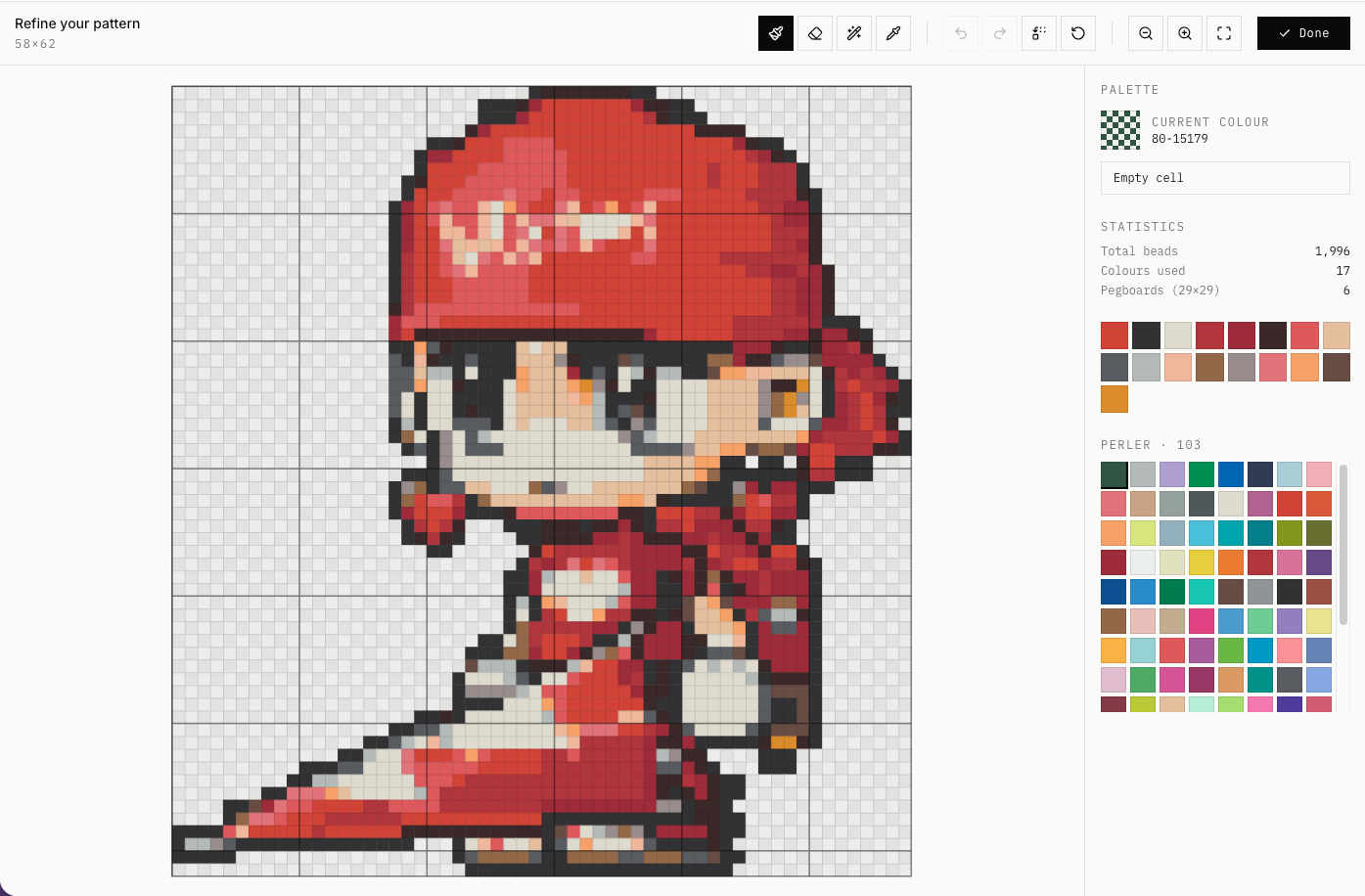
Real brand colour codes
Made with BeadPixel
Built for creators like you
Questions, answered
Ready to make a bead pattern?
Drop in a photo, pick a palette, get an exact pattern — total bead count, real-world dimensions, every colour you'll need.
Open the generatorAbout BeadPixel — Free Perler Bead Pattern Maker
BeadPixel is a free online perler bead pattern maker that converts any photo into a printable perler bead pattern. As a dedicated perler bead pattern maker, it uses the CIEDE2000 colour-difference formula — the same perceptual model used by professional colour-management software — to map every pixel to the closest real bead colour. This perler bead pattern maker supports all major brands so your bead pattern matches exactly what you can buy.
This perler bead pattern maker runs entirely in your browser using Web Workers, so your images never leave your device. No signup required, no usage limits. Every perler bead pattern generated includes precise bead counts, real-world dimensions in centimetres, pegboard estimates, and a colour-coded shopping list you can copy as TSV for your supplier. Whether you need a simple perler bead pattern or a complex multi-colour design, this perler bead pattern maker handles it.
After generating a perler bead pattern, open it in the built-in editor to fine-tune individual beads with brush, eraser, magic wand, and colour picker tools. Export the final perler bead pattern as a high-resolution PNG with optional grid lines, colour codes, and index numbers — ready for printing and crafting. This perler bead pattern maker is the easiest way to go from photo to finished bead project.
Supported Bead Brands for Your Perler Bead Pattern
This perler bead pattern maker supports colour palettes from all major manufacturers: Perler (221 colours), Hama (72 colours), Artkal (258 colours), MARD (291 colours), and COCO (291 colours). Each palette uses real manufacturer colour codes so your perler bead pattern shopping list matches exactly what you can buy. The CIEDE2000 algorithm in this perler bead pattern maker ensures the most perceptually accurate colour matching across all brands.
How to Make a Perler Bead Pattern from a Photo
- Upload your photo to the perler bead pattern maker — PNG, JPG, or WebP formats are supported. The image is processed locally in your browser.
- Optionally remove the background with one-click AI matting in the perler bead pattern maker, then crop to focus on your subject.
- Choose your bead brand in the perler bead pattern maker, set the pattern width (20–120 beads), and adjust the maximum number of colours.
- Click Generate — the perler bead pattern maker converts your photo into a perler bead pattern in seconds using CIEDE2000 colour matching.
- Review the perler bead pattern, check bead counts and dimensions, then open the editor to fine-tune if needed.
- Export your perler bead pattern as PNG with grid lines and colour codes, or copy the shopping list to order your beads.